Nano Banana 2 and 2.1 — how to use Google's AI image generator

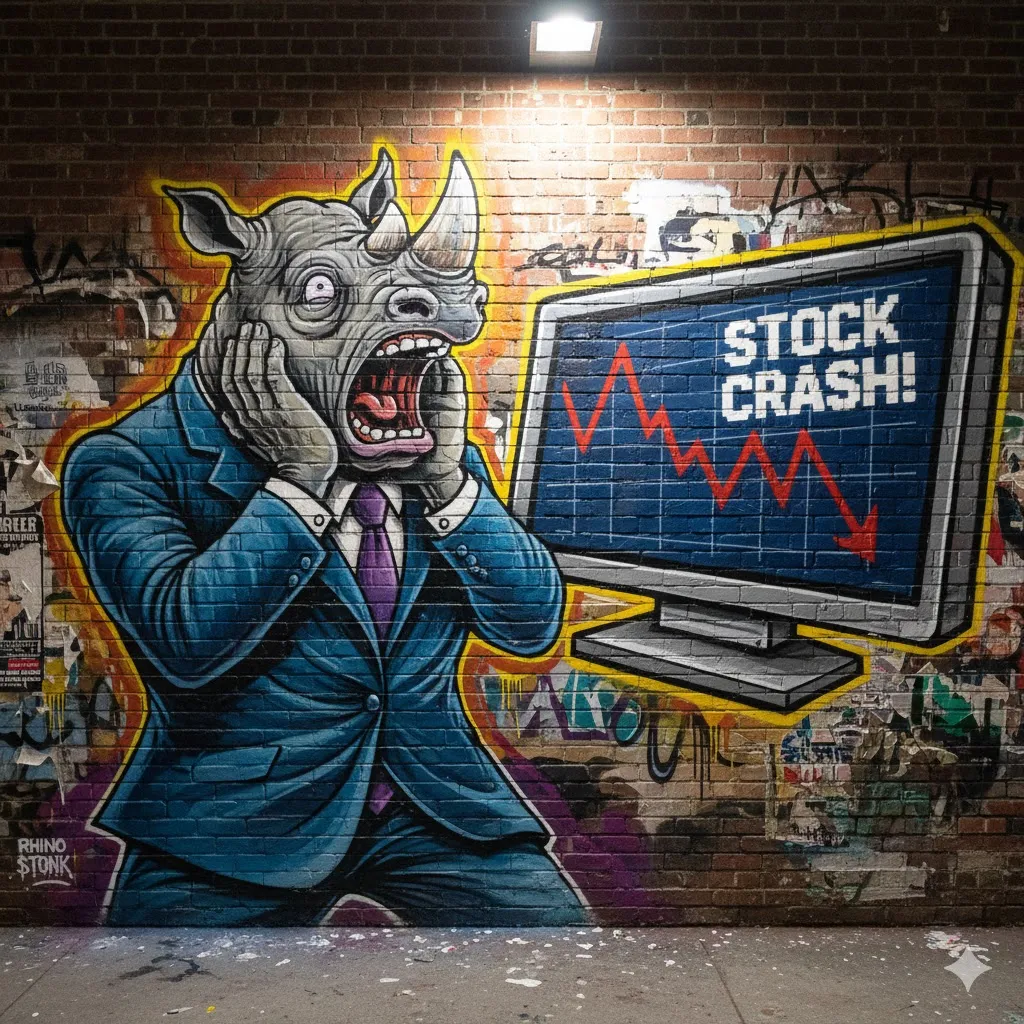
Nano Banana 2 and 2.1 — how to use Google's AI image generator
Nano Banana 2 is Google's AI that creates and edits images for you. You write what you want — "a product shot of our coffee mug on a light wooden table" — or upload your own photo and ask for a change, and a few seconds later you have the image. It's available in the Gemini app and in Google Search, and you can try it for free today.
On 6 October 2026 its successor, Nano Banana 2.1, arrived. It's better at text in images, faster, and half the price for anyone building their own solutions. Below we cover what Nano Banana is, which version to pick, what it costs and how to write a description that gets you a good image.
What is Nano Banana?
Nano Banana is the nickname for Google's image generator — the part of Gemini that makes pictures. The name was first used when Google tested the model anonymously in the summer of 2025, and it stuck so well that Google now uses it itself. The official name is Gemini Image.
What sets it apart from older image tools is that Nano Banana understands what's in the picture. You can ask it to swap the background, change the colour of a jacket or remove a person in the background, and the rest of the image stays as it was. Older AI tools often redrew the whole image as soon as you changed a detail.
If you want to understand how AI images work in general, we've covered that in AI — everything you need to know.
Nano Banana 2, 2.1 and Pro — which one should you choose?
Many versions have arrived in a short time, and the names are easy to mix up. This is the family as of October 2026:
- Nano Banana (August 2025) — the original. Google now calls it a legacy model.
- Nano Banana Pro (November 2025) — the most expensive and most capable. Best at realistic images and detail, but slower.
- Nano Banana 2 (February 2026) — the fast all-rounder most people have used in Gemini this year.
- Nano Banana 2 Lite (June 2026) — an even faster and cheaper variant, mainly for companies making very large numbers of images through their own solutions.
- Nano Banana 2.1 (October 2026) — the new default, replacing Nano Banana 2.
For most people the choice is simple: use whatever Gemini gives you by default, which is now 2.1. If you need an image where realism and proportions matter — a product that has to look exactly like the real thing, for example — you can ask Gemini to redo the image with Nano Banana Pro.
What's new in Nano Banana 2.1?
Nano Banana 2.1 isn't a giant leap, but several improvements are noticeable straight away:
- Change just one part of the image. You describe in words which area to change — "only replace the sign above the door" — and everything else is left alone. You don't need to mark anything yourself.
- The same person or product across several images. You can upload up to 14 reference images, and it keeps track of up to four people and ten objects. Handy if you want to show the same product in different settings.
- Better text in images. Headlines, menus and simple infographics come out spelled correctly more often than before.
- Wide images and high resolution. It handles panoramas and goes up to 4K — sharp enough for print.
The most interesting part for anyone building their own solutions is the price. An image with Nano Banana 2.1 costs about 3.4 US cents, compared with 6.7 cents for Nano Banana 2 and 13.4 cents for Pro, according to Google's price list. A 4K image costs 7.6 cents.
But 2.1 isn't best at everything. The Decoder compared 2.1 and Pro side by side and found that Pro still gave more natural colours and proportions — in their test, a horse in 2.1 looked more like a pony. And on the public Arena leaderboard, where users vote for the best image, 2.1 sits behind OpenAI's image models.
Is Nano Banana free?
Yes, you can use Nano Banana for free in the Gemini app and in AI Mode in Google Search, but only for a limited number of images a day. The more expensive the plan, the more images you get. Swedish prices:
- Free — 0 SEK. Nano Banana 2.1 with a daily cap. Pro is only available in small amounts, if at all.
- Google AI Plus — 55 SEK/month. Roughly twice the usage.
- Google AI Pro — 255 SEK/month. Four times the usage, and the option to redo images with Nano Banana Pro.
- Google AI Ultra — from 999 SEK/month. For people making images all day.
Google changes the caps often and doesn't always state them as numbers. You can see your own limits under Settings → Usage limits at gemini.google.com. More on the plans and everything else included is in our guide What is Gemini?.
How to access Nano Banana
You don't need a special account, just your regular Google account:
- The Gemini app or gemini.google.com. Write what you want, or upload an image and describe the change.
- The Google app. Tap the banana icon below the search box in AI Mode.
- Google Ads and Flow. Nano Banana 2.1 is rolling out in Google's advertising tools, so you can create ad images right there.
- Google AI Studio. For anyone who wants to test or build their own solution that talks directly to Google.
Nano Banana prompt — how to get better images
A prompt is simply the description you write to the AI. The clearer you are, the better the image. Think of it as ordering a picture from a photographer: what should be in it, where, in what light and in what style?
A few examples that suit a small business:
- Product shot: "Our ceramic mug (attached image) on a light oak table by a window, soft morning light, coffee beans in the background, square image."
- Social media post: "The same mug in a snowy ski cabin, warm lighting, room for text at the top."
- Editing: "Only change the background to white. Don't change anything else about the product."
- Menu or sign: "A black chalkboard with the heading Today's lunch and three dishes: …" — and write out exactly the text you want.
Three tips that make a big difference: upload a real photo of your product instead of describing it, change one thing at a time, and write "don't change anything else" when you edit.
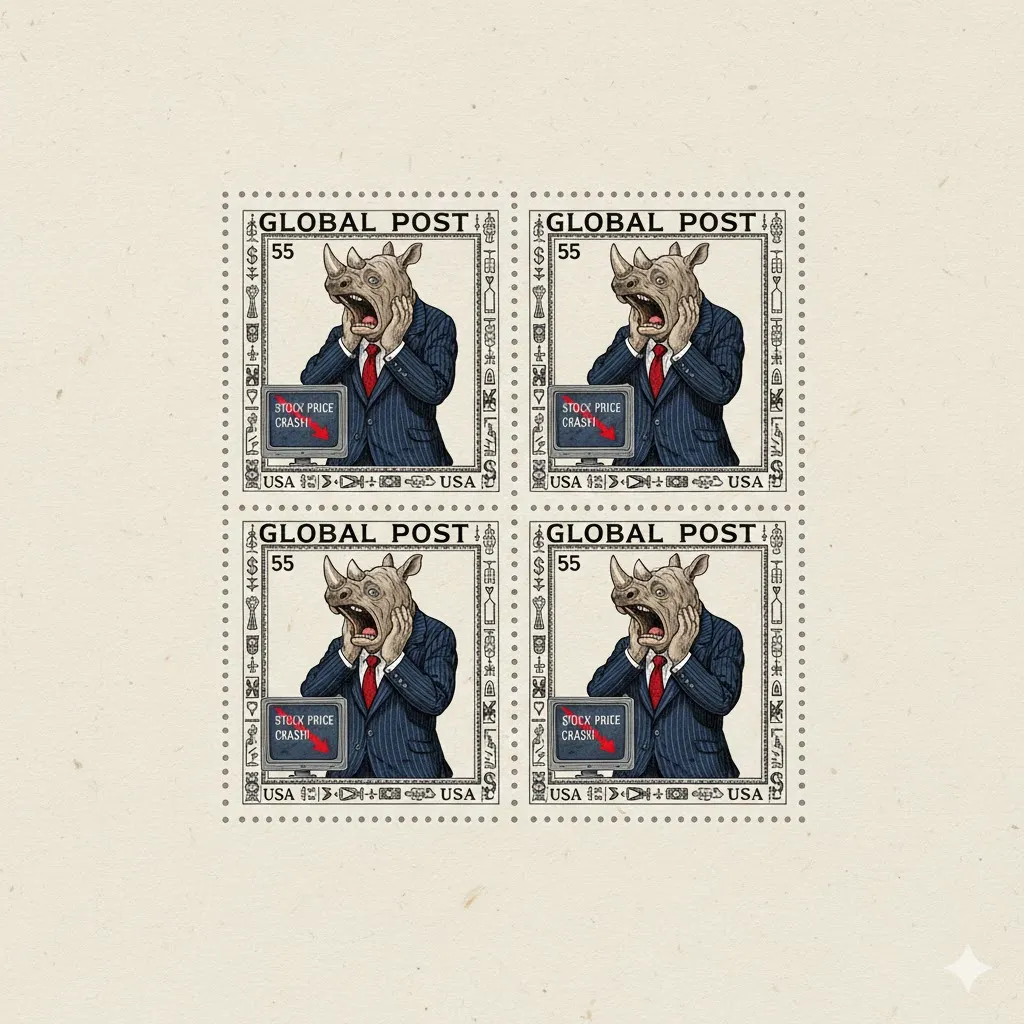 The same subject as at the top, in a different style — Nano Banana keeps the character consistent. But look at the screen: "STOCX". Image made with Nano Banana, Wikimedia Commons, public domain.
What should you watch out for?
Nano Banana is really good, but there are things to keep in mind before the images end up on your website:
- Read all the text in the image. The picture above shows why — spelling has improved, but it isn't flawless. Check prices, phone numbers and names.
- The images are labelled. Every image gets an invisible watermark (Google calls it SynthID) showing it's AI-generated, and on the free plan a small sparkle also appears in the corner.
- Don't show a product as something it isn't. An AI image that flatters a product can become a problem with customers and with marketing rules. Start from a real photo.
- Other people's brands and real people. Don't create images with well-known logos or people who haven't given permission.
- Think about what you upload. Photos of customers or staff shouldn't go into a free service unless you know how it handles the data.
Should your business use Nano Banana?
For most small businesses the answer is yes — at least as a complement. Nano Banana 2.1 doesn't replace a photographer when you need pictures of yourself, your staff or your premises. But for product shots in new settings, social media images, simple ads and sketches ahead of a bigger project, it saves both time and money.
Start with the free version. Take a photo of a product, ask for three different backgrounds and see what you get. And if you'd like help building AI images into your marketing, or connecting them to your own systems, we can help as your AI consultant.
Frequently asked questions
What is Nano Banana?
Nano Banana is the nickname for Google's AI image generator, officially called Gemini Image. It creates images from a text description and can edit your own photos — for example swapping the background or removing an object — without changing the rest of the image. It's available in the Gemini app, in AI Mode in Google Search and in Google Ads.
Is Nano Banana free?
Yes, Nano Banana can be used for free in the Gemini app and in Google Search, but with a limited number of images per day. Paid plans give you more images: in Sweden, Google AI Plus costs 55 SEK a month, Google AI Pro 255 SEK and Google AI Ultra from 999 SEK. You can see your current limits under Settings and Usage limits at gemini.google.com.
What's the difference between Nano Banana 2 and Nano Banana Pro?
Nano Banana 2 and its successor Nano Banana 2.1 are the fast, inexpensive default versions. Nano Banana Pro is Google's most expensive image model and usually gives more realistic colours, detail and proportions, but it's slower. Through Google, an image costs about 3.4 cents with Nano Banana 2.1 and 13.4 cents with Pro.
What's new in Nano Banana 2.1?
Nano Banana 2.1 was released on 6 October 2026 and replaces Nano Banana 2. It can change one part of an image based on a description, keep up to four people and ten objects consistent across several images, renders text in images more accurately and supports up to 4K. For developers it costs half as much per image as Nano Banana 2.
How do you write a good Nano Banana prompt?
Describe the image as if you were ordering it from a photographer: what should be in it, where, in what light and in what style. Upload a real photo of the product rather than describing it, change one thing at a time, and write "don't change anything else" when editing. Write out exactly the text that should appear in the image, and always proofread it afterwards.