OpenAI Codex — what is ChatGPT Codex and what does it cost?

OpenAI Codex — what is ChatGPT Codex and what does it cost?
ChatGPT Codex is an AI that writes, fixes and tests code for you. You describe what you want in plain words — "add a contact form to the website" or "make a program that merges these three Excel files" — and Codex produces a finished proposal that you review before anything changes. OpenAI Codex is part of ChatGPT, so if you already have an account you can start today.
It sounds like a tool for programmers only. At first it was. But as Codex has improved, it has become useful even for small businesses without an IT department of their own. Below we cover what it is, what it costs and what to watch out for.
What is OpenAI Codex?
Codex is OpenAI's AI agent for programming — an AI that doesn't just answer questions but does things on its own: reads through the code, works out what needs to change, writes the change, tests that it works and fixes its own mistakes. If you want to know more about the idea itself, we've written about AI agents and how they work.
Think of it as the difference between asking a knowledgeable friend for advice and hiring a tradesperson. Regular ChatGPT gives you a snippet of code that you have to paste in somewhere yourself. Codex does the job — and then shows you what it did.
Codex launched in April 2025, first as a tool for the terminal (the black text window programmers type commands into). A month later came a version that works in the cloud, and in February 2026 a dedicated app for Mac and Windows. In autumn 2026 Codex runs on OpenAI's newest AI, GPT-6 Astra, and the cheaper GPT-6.1 Sol and GPT-6 Luna.
What can Codex do for a business without its own programmers?
The big change is that you don't need to know how to code to get value from Codex — but you do need to be able to describe what you want, and someone needs to be able to check the result. A few examples that suit a small business:
- Small internal tools. A program that reads a supplier's price list and converts it to your format. A page where staff report their hours. The kind of thing that used to be too small to hire a developer for.
- Changes to the website. Swapping text, adding a page or fixing something that looks odd on mobile — as long as the site is built with code and not in a tool like Wix.
- Automating tedious steps. A script (a small program that does one thing) that fetches sales figures every Monday and puts them in a spreadsheet.
- Understanding old code. If you have a system a consultant built five years ago, Codex can explain what it does in plain language.
If you already have a developer, or buy development hours from an agency, the gain is even clearer: the same person gets more done. Codex takes the routine work while the developer reviews and makes the decisions.
Where is Codex — app, terminal and browser?
Codex comes in several forms, but it's the same AI behind all of them:
- The Codex app for Mac, Windows and Linux, and in the ChatGPT mobile app. The easiest way to start if you're not used to programming.
- Codex on the web, inside ChatGPT. Here Codex works in the cloud, on its own computer at OpenAI, so your own machine isn't affected.
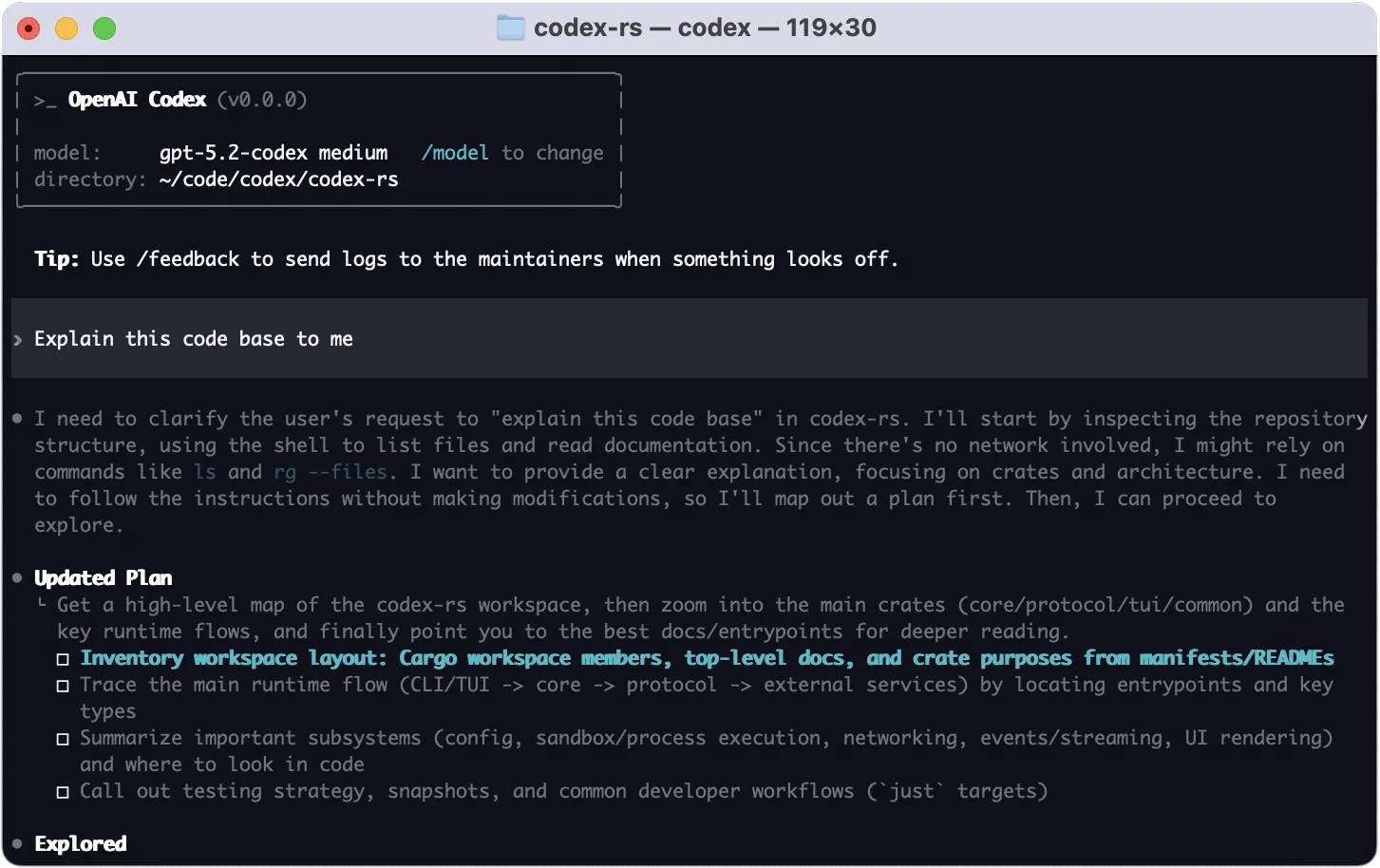
- Codex CLI, the terminal version. Free to download and open source, but you need a ChatGPT account to use the AI.
- Extensions for coding programs such as VS Code and JetBrains, for people who already write code.
Codex can also be connected to Slack and to GitHub (where most companies keep their code), so you can ask it for a change straight from a chat or have it review colleagues' code.
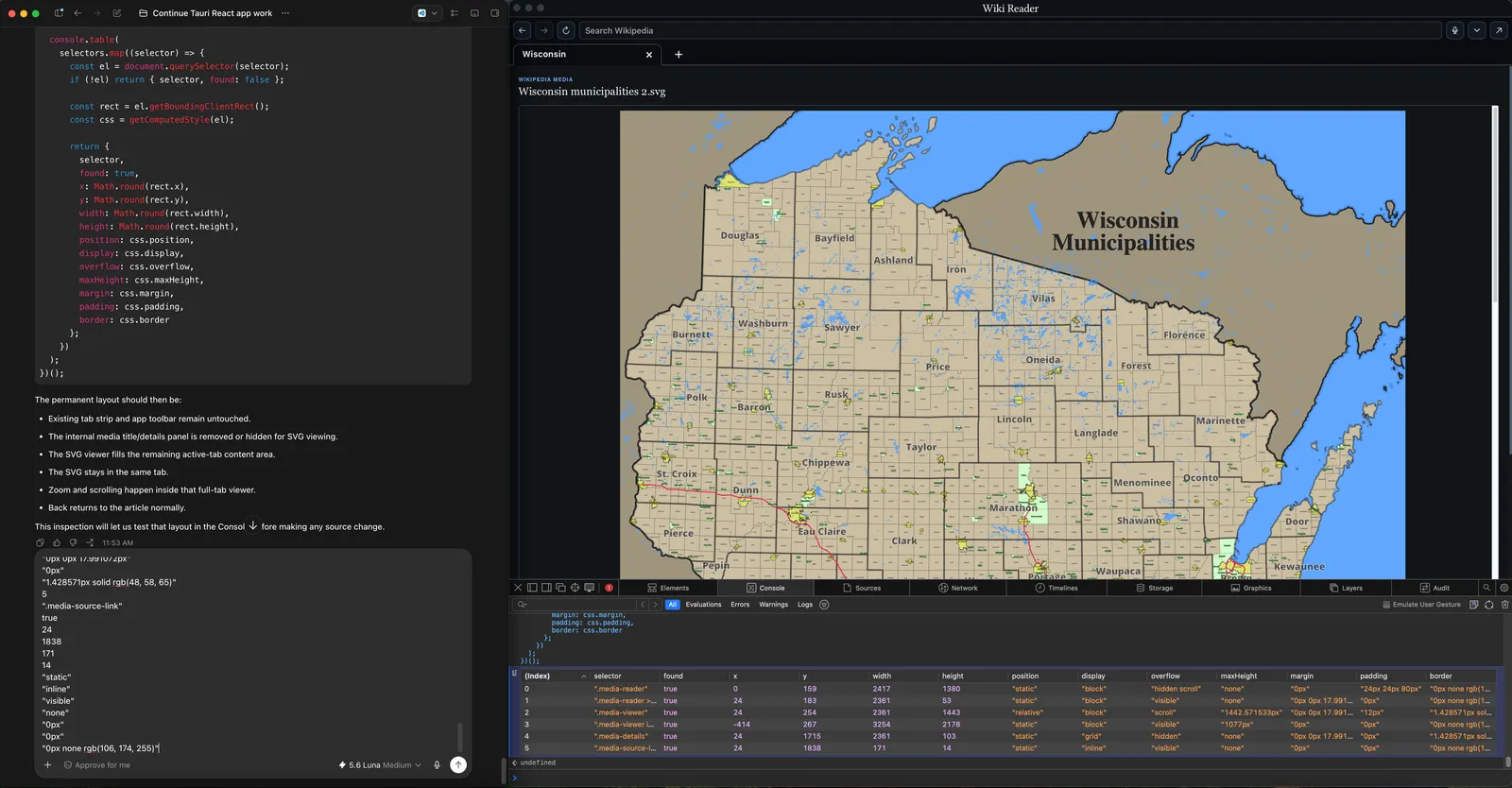 The Codex app at work: on the left Codex writes and tests the code, on the right you see the program it is building. Screenshot: Wikimedia Commons, CC0.
What does Codex cost?
Codex is included in ChatGPT's regular plans. The prices below are OpenAI's own, in US dollars excluding VAT, as of October 2026:
- Free — $0. A limited trial in the app, with the simplest AI, Luna.
- Go — $8/month. A bit more usage, still Luna only.
- Plus — $20/month. Codex everywhere — app, web, terminal and mobile — with the more capable GPT-6.1 Sol, automatic code review and Slack.
- Pro — $100, $200 or $500/month. Five to twenty times more usage than Plus. The top tier gives the fastest possible GPT-6 Astra.
- Business — $20 per user per month, minimum two users, billed annually. Here OpenAI promises that your data isn't used to train the AI by default.
Since April 2026, usage is counted in credits: the more text Codex reads and writes, the more credits it uses. When they run out you can buy more. That means a large project can cost more than the subscription itself — keep an eye on it for the first few weeks.
For most people who want to try it, Plus is enough. If you notice you're hitting the ceiling every week, Pro at $100 is the next step.
Codex vs Claude Code — which should you choose?
The most common question we get is how Codex compares with Claude Code, Anthropic's equivalent. Short answer: they're surprisingly similar, and both are really good. The differences have more to do with what you already use than with what the AI can do.
- Choose Codex if you already pay for ChatGPT. Then it's included, and you get an app that's easy to start with even without programming experience.
- Choose Claude Code if you already use Claude, or if your developer prefers working in the terminal. Claude Code has long been developers' first choice and has a large range of add-ons.
In the makers' own tests the two have taken turns leading throughout 2026, and the differences are small. What decides it in practice is how well you describe the task. We've written a separate guide to Claude Code if you want to compare for yourself.
What should you watch out for?
Codex is powerful, and that's exactly why it pays to be careful at first:
- Always review before you approve. Codex shows what it wants to change before the change is made. Read through it, or have someone who knows code do it. Code can look right and still do the wrong thing.
- Don't let it loose on what brings in money. Test on a copy of the website or a new small tool, not directly in the till system or the web shop.
- Mind which plan you're on. On personal plans, what you send may be used to train the AI unless you switch it off in the settings. With Business it's off from the start. If the code contains customer details or passwords, they shouldn't be sent to any AI at all.
- Credits can run out faster than you think. Big tasks in a big codebase use a lot. Start with small, well-defined jobs.
How to get started with OpenAI Codex
Is Codex worth the money for a small business? If you have a website, an internal system or recurring Excel chores someone should have automated long ago — yes, probably. A single small tool that saves an hour a week pays for the Plus plan within a month.
Here's how:
- Download the Codex app and sign in with your ChatGPT account.
- Start with something small and harmless, for example "make a program that adds up column C in this file".
- Have someone who knows code look at the result the first few times, so you learn what to keep an eye on.
If you want to know more about everything else in ChatGPT, we have a guide to ChatGPT. And if you'd like help getting started with Codex or Claude Code in your business, we can help as an AI consultant.
Frequently asked questions
What is OpenAI Codex?
OpenAI Codex is an AI agent for programming from OpenAI that is included in ChatGPT. You describe what you want in plain words, and Codex reads the code, writes the change, tests it and shows you the result for review. Codex is available as an app for Mac, Windows and Linux, on the web in ChatGPT, in the mobile app and as a terminal tool (Codex CLI).
How much does ChatGPT Codex cost?
Codex is included in ChatGPT's plans. The free plan gives a limited trial, Go costs $8 a month and Plus $20 a month. Pro costs $100, $200 or $500 a month, and Business $20 per user per month. Since April 2026 usage is counted in credits, and extra credits can be bought.
Is Codex free?
There is a free version of Codex, but it's a limited trial using OpenAI's simplest AI, GPT-6 Luna. Codex CLI itself is free to download and open source, but you need a ChatGPT account to use the AI. For regular use you realistically need at least Plus at $20 a month.
Codex vs Claude Code — which is better?
OpenAI Codex and Anthropic's Claude Code are very similar and have taken turns leading in the makers' own tests during 2026. Codex is the natural choice if you already pay for ChatGPT and want an easy app to start in. Claude Code suits people who already use Claude or prefer working in the terminal. How well you describe the task matters more than which tool you pick.
Can you use Codex without knowing how to program?
Yes, you can describe what you want in plain language and get a working result, such as a small program that merges Excel files or a change to your website. But someone should be able to review the code before it's used for real, because code can look right and still do the wrong thing. Start with small, harmless tasks.